

- DoorInspec+
- Firestopping
For firestopping and passive fire protection installers
Firestopping software that proves every seal
Record each penetration seal, linear joint and cavity barrier as you install it: what passes through, what it is in, the gap, the tested detail it was built to, and photos before and after. When the main contractor or the fire officer asks, the evidence is already there.
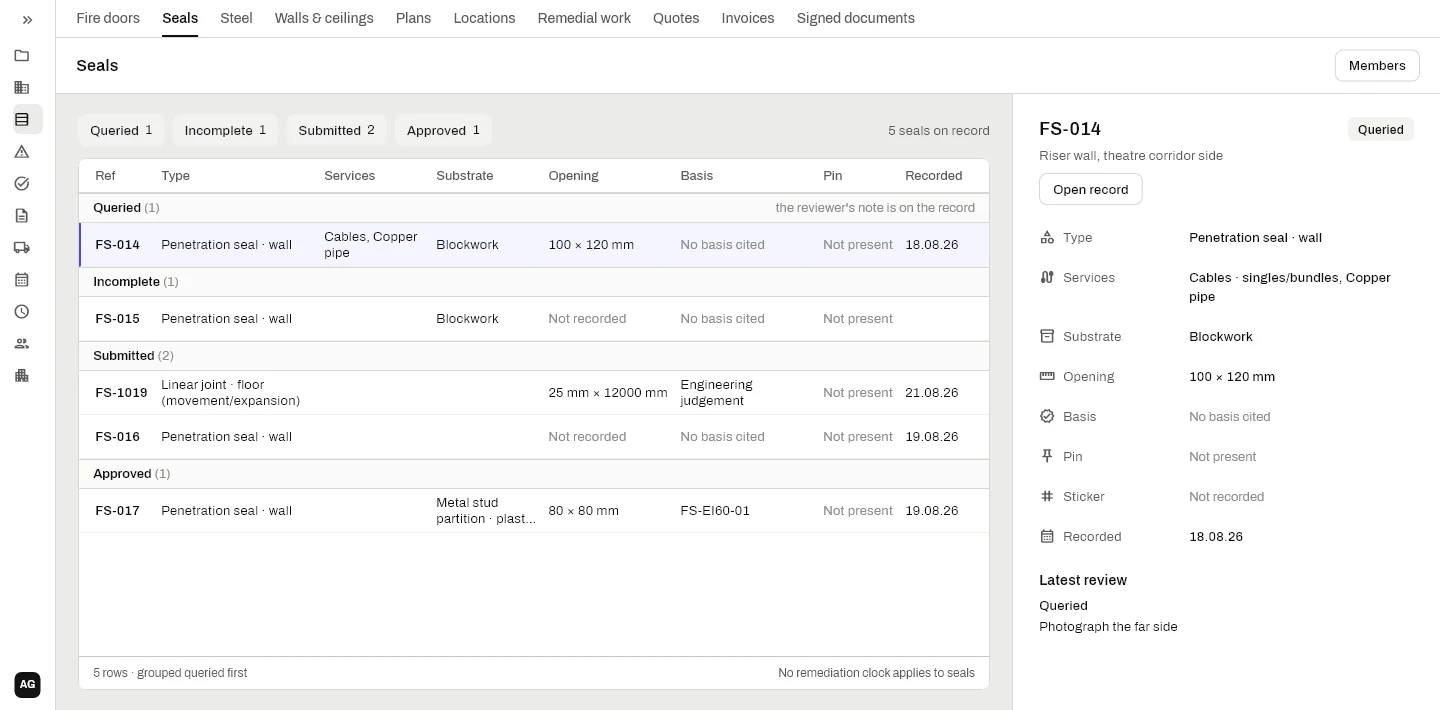
What goes on each seal record
- The seal and what goes through it. Penetration seals in walls and floors, membranes, linear joints, cavity barriers, frame perimeter seals and blank opes. Services from cables and cable tray to copper, steel, plastic and lagged pipe, duct and busbar.
- The opening and the gap. The substrate and its rating, the ope size, and the gap measured at its smallest and largest.
- The basis it was built to. Cite the tested detail, or record it as an engineering judgement. The register shows which seals have no basis cited, so they get sorted before handover.
- Before and after photos. Both are required, so no seal is closed up without the picture of what was behind it.
- Reviewed by your foreman. A submitted seal is frozen. The foreman approves it or queries it, and the query and its note sit on the record for the installer to see.
- Seals by others. Found a seal another firm put in? Record it as by others with their tag or label and a photo, so it is on the record without you taking it on as your own work.
Every seal pinned where it is
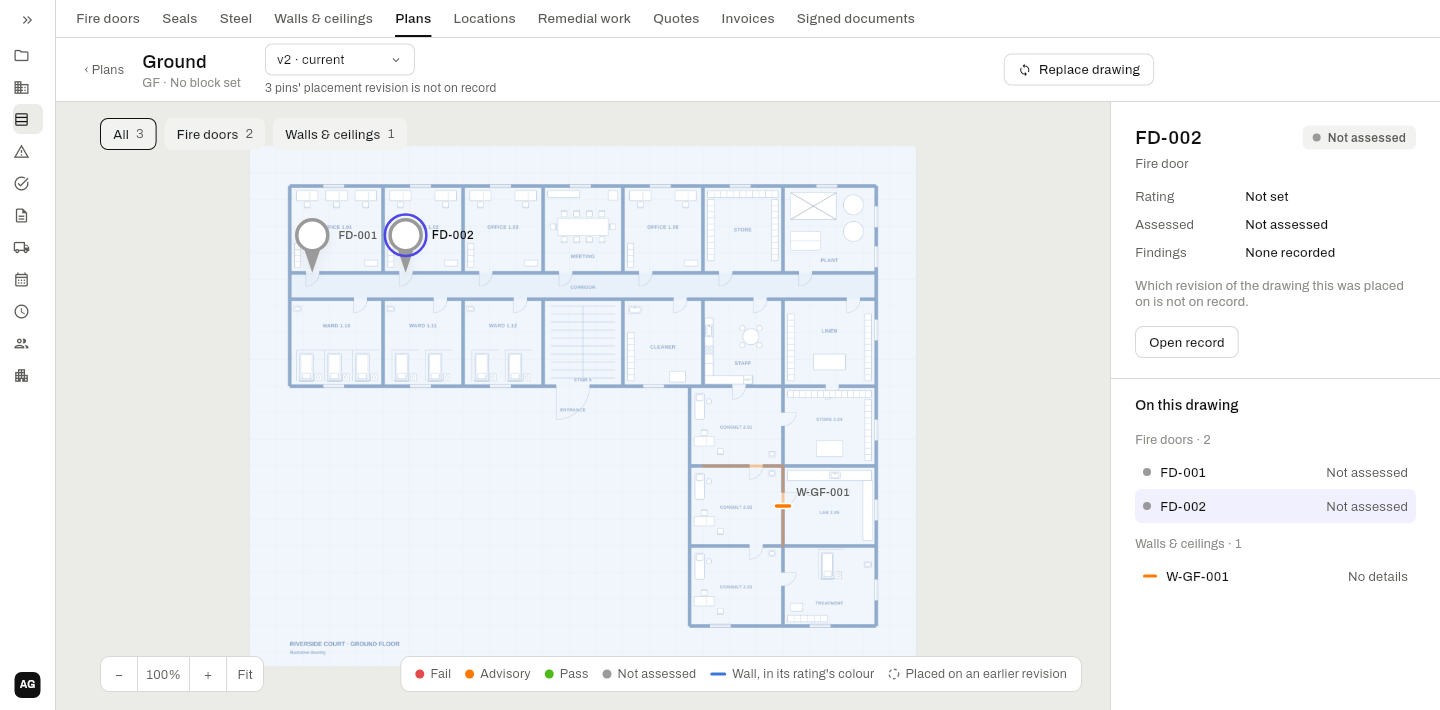
Seals, doors and walls all sit on the same drawings, so the record shows exactly which riser wall or which floor the seal is in. Pair it with walls and partitions and fire door inspection for one record of the whole compartment.
On Irish jobs
On Irish projects the firestopping record usually has to support an ancillary certificate to the Assigned Certifier under BCAR, and later the building owner’s fire safety file. The question it has to answer often comes years after the boards go up: who sealed this, with what, and how do you know?
A register answers it when it shows every seal, its tested detail, the services through it, the gap measured, and photos before and after. DoorInspec+ keeps that register as the work is done, seal by seal, pinned on the drawing. Seals put in by others are recorded as theirs, with a photo, so the register never claims work you did not do.
The app records what was installed and what was seen. Whether a seal meets its specification is for the installer, and whoever signs off, to judge, with the tested detail in front of them.
Questions
Can my installers record seals with no signal?
Yes. Photos and all, on the phone, sent when the signal comes back.
Can a seal record be changed after it is submitted?
No. A submitted seal is frozen. A query or an approval is added to it, with who made it and when, and nothing is quietly overwritten.
Do we have to measure seals put in by others?
No. A seal by others is recorded with their tag and a photo, and the gap shows as not measured, sealed by others.
What goes in a firestopping register?
For each seal:
- where it is on the drawing;
- the services through it;
- the tested detail it was built to;
- the gap measured;
- who sealed it, and when;
- the photos before and after.
Can the main contractor see it live?
Yes, if you give them access. A client view shows the job as it stands, without waiting for a report.
Can I hand it over at the end of the job?
Yes. The register prints as a firestopping report on your own letterhead, with the photos.
Put your next floor of seals on it.
Book a demo and we’ll set your company up ourselves. 30 days free.